
Daily Freeman for Android
MediaNews Group, Inc.News & Magazines
2.154.00 Reviews
- Version
- 10.0.60
- Installs
- 10.00K
- Age Rating
- Everyone 10+
Screenshots
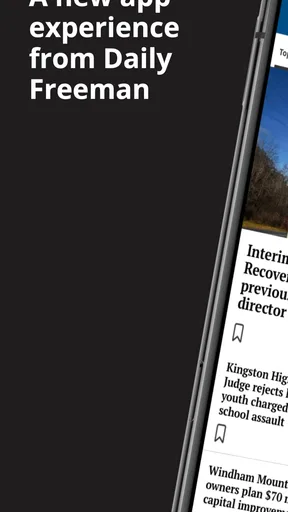
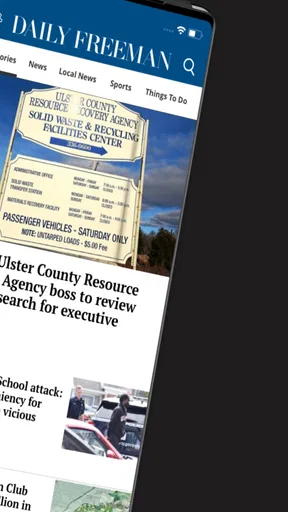
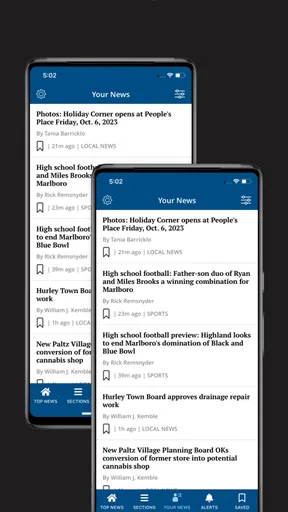
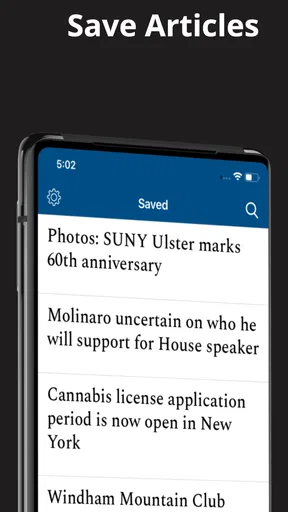
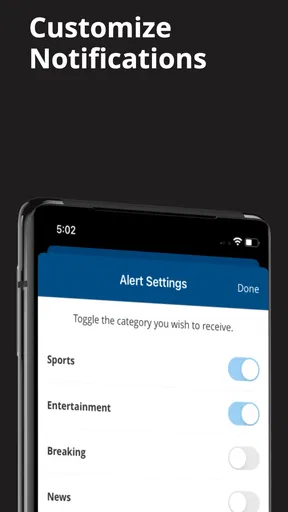

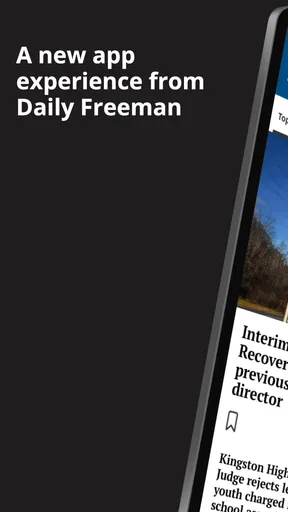
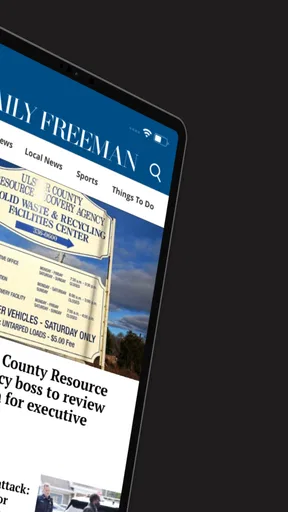
Our Review of Daily Freeman for Android
 Analysis by Appyee
I first looked at Daily Freeman as something a household might share rather than as just another news icon on a phone. That distinction matters. A local newspaper app can be useful when one person wants quick Hudson Valley updates, another checks community stories, and someone else needs a more familiar source than a national news feed. My experience is that this app makes the most sense when you already value the Daily Freeman’s local coverage and want it close at hand on Android.
The app comes from MediaNews Group, Inc. and sits in the News & Magazines category. It is free to install, with optional in-app purchases ranging from around twelve dollars to around one hundred forty dollars per item. That makes the initial download easy to try, but I would still pay attention to any purchase screen before committing, especially on a shared device where several people may use the same Google Play account.
How Daily Freeman fits into a shared household
A realistic use case is a family tablet kept in the kitchen. One person opens the app with breakfast to scan local headlines, another checks it during the evening for community developments, and a teenager may use it when a school assignment involves a nearby event or public issue. In that setting, the value is not endless entertainment. It is having a single, recognizable place for regional news instead of relying on scattered social posts.
I like the idea of using it as a local check-in point. National apps are usually better at broad breaking news, while social networks can be faster for informal updates but much less consistent in context. Daily Freeman is more focused. Its stated role is as a Hudson Valley news source, and that narrower focus is exactly why someone might keep it installed even while using other news services.
The trade-off is that a local newspaper app will not replace a full news ecosystem. If I want international coverage, a wide range of specialist sections, or a highly personalized stream assembled from many publishers, I would choose a large national news app instead. Daily Freeman is strongest when the question is, “What is happening around this region?” rather than, “What is happening everywhere?”
On Android, the app supports devices running version eight or newer. That keeps it suitable for many older phones and tablets, which is helpful in a household where a spare device is shared. I would still test it on the actual family device before making it the main news station, because older hardware can make any content-heavy app feel less comfortable even when the operating system is supported.
What to decide before installing it on a shared device
The first boundary I would establish is who is expected to use the app. A shared tablet can be convenient, but it also blurs reading habits and account activity. If one adult wants a personal subscription or purchase attached to an individual account, a household device may not be the cleanest arrangement. A personal phone gives clearer separation, while the tablet works better for casual reading that does not need to remain private.
The free installation lowers the barrier for trying the app, but the presence of optional purchases changes the conversation. I would not hand the tablet to a child and assume that “free” means there is no payment risk. Instead, I would keep purchases under the device owner’s control and make sure everyone understands that an offer inside the app may lead to a charge. This is especially important when several people know the device passcode.
I also recommend deciding whether the app is a shared reference or a personal news account. Those are different uses. For a shared reference, leaving the app available on the home screen is practical. For personal reading, separate phones or user profiles are less confusing. Daily Freeman itself should not be treated as a substitute for Android’s account and device boundaries; those are what determine who can access purchases and other account-level actions.
Another sensible step is to check the app’s current release after installation. The current version is 10.0.60, and keeping the app updated is usually worthwhile for compatibility and maintenance. I would not update blindly on a device with very limited storage, though. A household tablet used for schoolwork, photos, and streaming needs enough room for every important app, not just the news reader.
Coordinating local information without creating clutter
The most useful household habit I found is to give the app a specific job. Instead of opening it repeatedly whenever someone is bored, use it during a morning routine or at a planned evening check-in. That makes local news part of the day without allowing every notification or headline to interrupt family time. The app becomes more valuable when it supports a routine rather than competing with every other source.
I would also encourage family members to discuss an article’s relevance instead of simply forwarding headlines. A regional story can affect traffic, schools, local services, or weekend plans, but a headline alone may not explain what action is needed. One person can read the article, summarize the practical point, and then decide whether anyone else needs to see it. That workflow reduces the habit of sending every interesting item to a group chat.
There is a useful trade-off between speed and context here. A social post may alert you first, but the newspaper app is a better place to look for a more developed account when the issue matters. Conversely, if something is urgent and time-sensitive, I would not depend on one publication alone. I would compare the local article with official notices or another trusted source before making a decision that affects travel, safety, or a child’s schedule.
For a shared tablet, I would keep a simple verbal rule: the person who opens a story should say whether it is confirmed information, commentary, or something that still needs checking. That is not a feature of the app; it is a practical reading habit. It helps younger users understand that a newspaper article is useful context, but no single app should automatically settle every question.
Daily Freeman can also work well for someone who has moved away from the Hudson Valley but still wants a connection with the area. In that case, a shared household installation may be less important than having it on one person’s phone. The local focus gives the app a clear identity, but it also means its usefulness depends heavily on whether the region it covers is part of your daily life or personal interests.
Age suitability and trust in the home
The content rating is Everyone 10+, so I would place it in the category of an app that can be introduced to older children with ordinary adult guidance. That rating should not be interpreted as a promise that every article will feel comfortable for every child. News naturally includes serious subjects, public disputes, accidents, crime, and other material that may require explanation even when the app is not intended for mature audiences.
For that reason, I would not use Daily Freeman as an unsupervised news source for a young child. An adult can help decide which stories are appropriate and explain unfamiliar language or upsetting events. Older children may benefit from reading local coverage, particularly when it connects with school, community life, or civic responsibility, but they still need to know how to question a headline and separate reporting from their own assumptions.
Trust also has a household side. If several people share one device, one person may assume that another has already read or understood a story. I would avoid that assumption. When the information affects a pickup time, appointment, road route, or family plan, confirm the important detail directly. The app can inform coordination, but it should not become the only communication channel.
I also prefer keeping personal reading boundaries clear. Adults may want to follow subjects that children do not need to see, while children may open articles without understanding why a story is sensitive. Separate devices are the simplest solution when privacy or emotional maturity is a concern. If the whole family uses one tablet, the better approach is active supervision and a clear agreement about when the app is used.
The app has an average rating of around 2.1 from roughly one hundred nine ratings, with about fifty-four written reviews. I would treat that as a reason to test it personally rather than assume it will suit every Android device or reader. A low average does not tell me exactly which issue matters most to my household, so I would judge the experience by loading articles, moving through the sections, and checking whether the local coverage is worth keeping in the routine.
Where it is useful and where another option wins
Daily Freeman is a good fit for a reader who wants a direct connection to Hudson Valley news and prefers a publication-centered experience over a constantly shifting social feed. It is also a reasonable choice for someone who wants to try a local news app without paying at the installation stage. The developer’s long-running newspaper identity gives the app a clear purpose, even though the digital experience still needs to work well for the individual user.
I would skip it if my main need were worldwide headlines, deep customization across many publishers, or a single app that combines news, podcasts, newsletters, and extensive multimedia tools. A broad news aggregator would be more efficient for that job. I would also hesitate if I rarely read local news, because the app’s regional focus would not justify space on my phone.
One practical tip is to compare the app with the mobile website or another local-news route before making it central to your routine. The app is more convenient when you want a dedicated icon and a focused reading path, while a browser may be preferable if you use several local publications and do not want separate installations. The choice is not about loyalty; it is about whether the dedicated app saves enough effort for your habits.
Another tip is to evaluate it on the device used by the least technical member of the household. If an older relative can open it, find a story, and return to the main news view without help, the app is serving the family well. If only the person who installed it understands the navigation, it may be better as a personal app rather than a shared one.
A third useful trade-off concerns purchases. Someone who wants occasional local reading may be comfortable with the free entry point, while a committed newspaper reader may consider an in-app option depending on what is offered at the time. I would decide based on actual reading frequency, not on the presence of a discount message or a limited-time prompt. On a shared device, I would make sure the person paying is also the person who understands what access is being bought.
The app has been available since April 26, 2012, and its current release shows that it has continued through multiple stages of Android development. That history is reassuring in one sense: this is not a brand-new experiment with no established identity. At the same time, longevity alone does not guarantee that the interface will feel modern or that every household member will enjoy using it. I would let the current reading experience, not the age of the product, make the final decision.
My household verdict
After looking at Daily Freeman through the lens of shared use, I see it as a focused local-news tool rather than a universal news replacement. Its best role is a dependable starting point for Hudson Valley coverage, especially when one household wants to keep up with nearby events and discuss what matters locally. The free install makes a trial straightforward, but optional purchases mean account boundaries deserve attention from the beginning.
I would recommend Daily Freeman to an adult reader, couple, or family that already has a genuine interest in the region. I would install it on a shared tablet only after agreeing who may use purchases, how sensitive stories will be handled, and which information requires confirmation elsewhere. Those small rules make the app more useful and prevent a convenient household shortcut from becoming a source of confusion.
My final view is positive but measured. The app has a clear local purpose, supports older Android versions, and can fit naturally into a morning or evening news routine. Its modest user rating tells me to approach it as a try-before-you-commit download, while its regional focus tells me exactly who is most likely to appreciate it. If local Hudson Valley reporting is important to you, it is worth testing. If you want a broad, highly personalized national news hub, I would choose a different option and keep this one off the shared screen.
Verdict
Strengths of Daily Freeman for Android
- Fast access to local news, events, and community updates
- Clean layout makes articles easy to browse on mobile
- Breaking-news alerts help users stay informed throughout the day
- Supports saving articles for reading when convenient
- Covers regional sports, politics, and local-interest stories
Limitations of Daily Freeman for Android
- Some content may require a subscription or account
- Advertising can take up noticeable screen space
- Push notifications may feel frequent for some users
- Article availability depends heavily on local coverage
- Occasional loading delays may occur on slower connections
Other Releases by MediaNews Group, Inc.
View All
Boston Herald
News & Magazines2.4

The Mercury News
News & Magazines2.1

LA Daily News
News & Magazines2.6

The Press Democrat
News & Magazines3.6
Similar Picks in This Category
View All
Google News - Daily Headlines
Google LLC4.0

X
X Corp.4.8

Flipboard:Your Social Magazine
Flipboard3.4

Opera News: breaking & local
Opera4.5

Hindi News by Dainik Bhaskar
Dainik Bhaskar Group4.0

Way2News Daily News App
Way2News ( Formerly Way2SMS )4.6
Frequently Asked Questions
What is Daily Freeman for Android?
Daily Freeman for Android is the mobile edition of the Daily Freeman newspaper, designed to help readers follow local, regional, and national news from a smartphone or tablet. The app typically provides access to articles, breaking updates, community coverage, opinion pieces, sports, and other newspaper sections in a format adapted for mobile reading. Availability of specific content can depend on your subscription and location.
Is Daily Freeman for Android free to download and use?
The application can generally be downloaded without paying an installation fee, but access to all of its journalism may require a subscription, registration, or in-app purchase. Some articles or features may be available for free, while the full publication could be restricted to subscribers. Before downloading, check the current Google Play listing and the newspaper’s subscription terms for pricing, trial conditions, and renewal details.
What kind of news and features can I find in the Daily Freeman app?
The app is intended for readers who want convenient access to Daily Freeman coverage while away from the printed newspaper or website. Depending on the current version, you may find local reporting, breaking news, sports, entertainment, business, opinion, obituaries, photographs, and community information. Navigation, article sharing, saved stories, notifications, or digital edition access may also be included, although features can change with updates.
Does Daily Freeman for Android require an internet connection?
An internet connection is normally needed to download the latest articles, refresh news feeds, load images, sign in, and verify subscription access. Reading performance will depend on your Wi-Fi or mobile-data connection, particularly when opening image-heavy stories or digital newspaper pages. If the app supports offline reading or saved articles, those items may remain available temporarily, but newly published content will not load until you reconnect.
What should I do if the Daily Freeman app is not working properly?
If Daily Freeman for Android crashes, fails to load stories, or does not recognize your subscription, first check your internet connection and confirm that you are using the latest version from Google Play. Closing and reopening the app, restarting your device, and signing in again can solve minor problems. If the issue continues, review the app’s support information and contact the publisher with your device model and Android version.
